
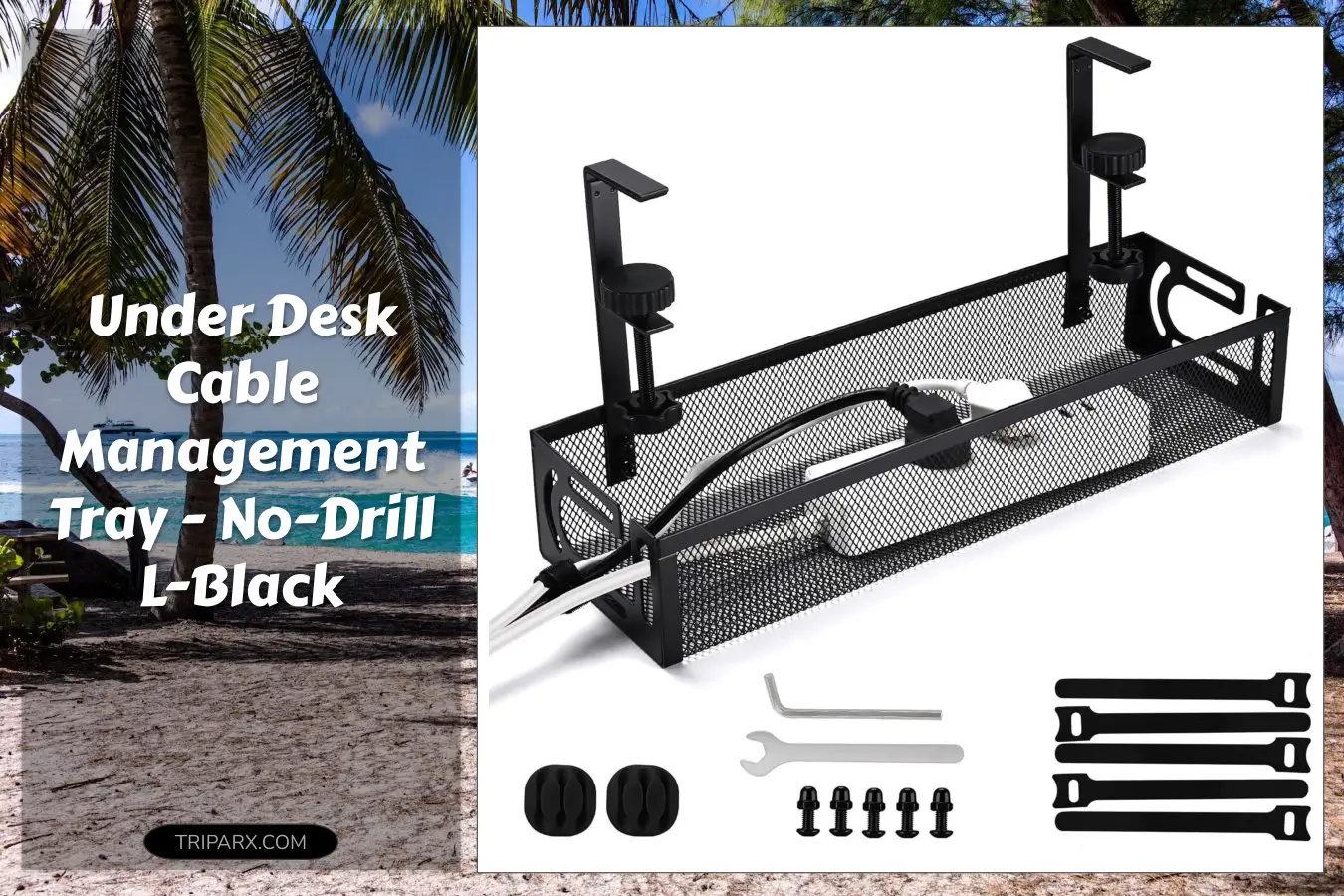

One wrong drill and that perfect desk is scarred forever. The under desk cable management tray here installs without drilling, clamps to desks 0.4″ to 2.2″ thick, and keeps power strips, chargers, and bundles out of sight. Want to stop tripping over cables and stop your workstation from looking like a wiring lab?

Key Features & Real-World Use
- No drilling required: Sturdy clamps secure the tray to desktops 0.4″ to 2.2″ thick, so you avoid screws, mounting hardware, and surface damage.
- L-shaped design: Fits along the back edge to hide power strips, surge protectors, and extra AC adapters while allowing airflow to prevent heat buildup.
- Durable materials: Rigid metal or reinforced ABS construction supports adapters, cable bundles, and small accessories without sagging.
- Power strip holder: Keeps surge protectors and extension cords off the floor—ideal for gaming rigs, home offices, and shared workstations.
- Tidy cable routing: Pair with zip ties, Velcro straps, cable clips, or sleeves to separate HDMI, USB, Ethernet, and power lines for easier maintenance.
- Tool-free maintenance: Remove the tray, dust out cables, and re-clamp in minutes—no anchors or patching required.

How to Choose
Pick a tray that matches your desk style and tech load. Consider these quick criteria:
- Desk thickness compatibility: Verify clamp range (this tray fits 0.4″ to 2.2″). Too thin and clamps slip; too thick and it won’t fit.
- Weight capacity: Match the tray to how many adapters, a power strip, and a docking station you’ll store.
- Form factor: L-shaped works for rear-mounted strips; flat trays suit minimalist setups or standing desks with limited clearance.
- Material and finish: Steel or reinforced plastic resists bending; choose a finish that hides dust and matches your desk color.

Quick Setup & Use
- Clear the area under your desk and unplug the power strip or devices you plan to mount.
- Position the tray along the back edge where plug access is easiest and cables can run into grommets or holes.
- Tighten the clamps by hand until the tray grips firmly; no screwdriver needed.
- Place the power strip and route major cords—HDMI, USB, Ethernet—into the tray, grouping like cables together.
- Secure bundles with Velcro straps or zip ties and test plugs. Re-tension clamps if the tray shifts.
Buyer Doubts Solved
Will it damage my desk? The clamp design avoids drilling and uses pressure pads to spread load, so scratches are unlikely if you follow instructions.
Is it strong enough? The L-black tray is built for everyday office gear and typical surge protectors. If you plan to mount heavy server equipment, choose a rack-rated solution instead.
Can I still use a standing desk? Yes. The no-drill clamp range accommodates many standing desks, but double-check travel distance to prevent pinch points.
What about heat and ventilation? The open design keeps airflow around power bricks; leave small gaps and avoid stacking heat-generating adapters.
Will cables stay tidy over time? Combine the tray with cable clips and occasional maintenance. It reduces dust and tangles, making future cable swaps painless.

Clamping on an under desk cable management tray clears floor clutter, protects pets and feet from cords, and makes cleaning and cable swaps a breeze. It’s an easy upgrade that pays back in fewer trips and a neater setup.
Some links are affiliate. As an Amazon Associate, I earn from qualifying purchases – at no extra cost to you. It helps keep these finds coming. Thanks for your support!