
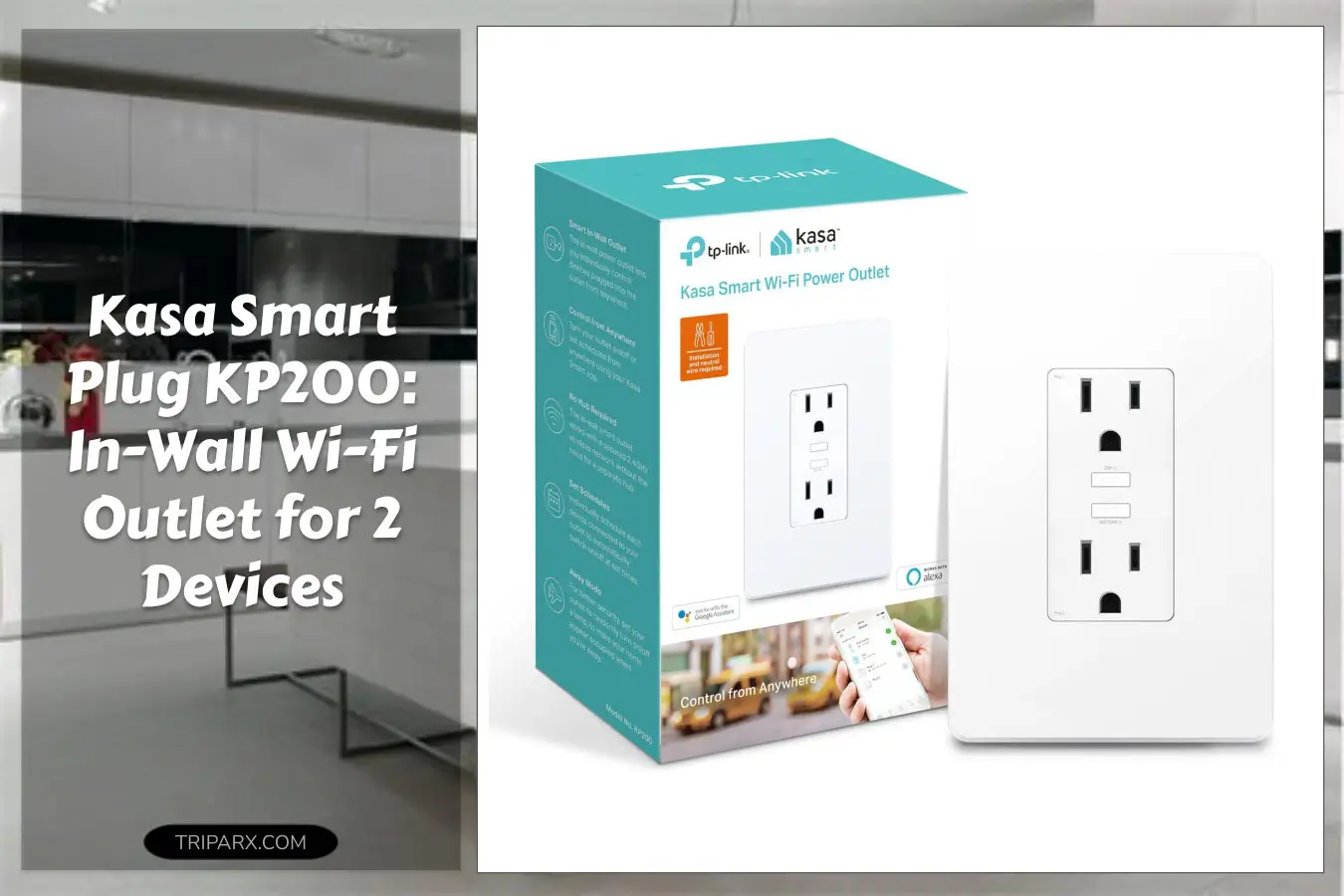

The kasa smart plug kp200 replaces bulky adapters with a clean in-wall Wi-Fi outlet that controls 2 devices individually or at the same time. Most people buy countertop smart plugs and then wonder why their power strip still crowds the living room.
This in-wall option saves space, fits a standard single-gang box, and keeps your cords tucked behind a faceplate instead of on display. Ready to stop tripping over plugs and actually own your smart home setup?

Key Features & Real-World Use
- Dual control duplex outlet: Two receptacles let you run a lamp and a fan or a coffee maker and grinder from one wall unit. Control them together or separately.
- Works with Alexa, Google Home, and IFTTT: Add voice commands, routines, or web-based automations without a separate hub.
- No hub required: Connect via your home Wi-Fi for remote control and scheduling through the Kasa app.
- ETL certified safety: Built to industry standards so you get safer wiring, grounded protection, and reliable materials for daily use.
- Low-profile design: Sits flush in the wall and keeps living rooms, kitchens, and bedrooms neat—ideal for tight spaces or recessed outlets.

Who This Is For
If you want a clean smart home look without adding bulky plugs to every outlet, this unit is for you. Small-space renters and homeowners who prefer recessed wiring and a neat faceplate will like the switch from countertop adapters to an in-wall duplex receptacle. It suits common scenarios like living room lamps, bedroom fans, kitchen countertop appliances, and home office gear.
Not ideal if you lack a standard single-gang box or prefer plug-and-play that never touches wiring. In those cases, a plug-in smart outlet remains easier.
How to Choose
- Confirm compatibility: Make sure you have a single-gang box and standard 120V wiring. If you have unusual wiring or a multi-wire branch circuit, consult an electrician.
- Decide on control type: Want voice and routines? Choose units that support Alexa, Google, and IFTTT like this one. If you need energy monitoring, look for models that list that feature specifically.
- Safety certification: Pick ETL or UL listed devices for peace of mind with metal screws, plastic faceplate durability, and proper grounding.
- Form factor trade-offs: In-wall outlets are neat and permanent. Plug-in smart plugs are portable. Choose permanence or portability based on installation comfort.

Quick Setup & Use
- Turn power off at the circuit breaker and confirm with a tester.
- Remove the old outlet faceplate and unscrew the receptacle from the box.
- Match line, neutral, and ground wires to the Kasa unit and secure with the provided screws.
- Attach the faceplate, restore power, and open the Kasa app to add the device to your Wi-Fi network.
- Set schedules, pair with Alexa or Google Home, and create IFTTT applets if desired.
Buyer Doubts Solved
- Worried about wiring? Basic installation takes 15-30 minutes for someone comfortable with screwdrivers; otherwise hire a pro for a quick, safe job.
- Does it need a hub? No. It connects directly to your 2.4 GHz Wi-Fi network for remote control and schedules.
- Will it fit? Designed for standard single-gang boxes and common faceplate sizes; check measurements if you have an older home.
- Is it safe? ETL certification and grounded design reduce common electrical hazards when installed properly.
- What about voice assistants? Works with Alexa, Google Home, and IFTTT, so you can add voice commands, routines, and automations easily.

Swap out messy adapters for a low-profile, ETL certified in-wall smart outlet that gives you remote control, voice automation, and two-device convenience. It’s a tidy upgrade that pays back in fewer cords and cleaner surfaces.
Some links are affiliate. As an Amazon Associate, I earn from qualifying purchases — at no extra cost to you. It helps keep these finds coming. Thanks for your support!